Save Data Simulator
Use the Save Data Simulator to inspect your game's saved values, check the available space, and test the messages players see when saving or loading fails. It works with your editor Play Mode save file.
Open View > Save Data Simulator with a project loaded.
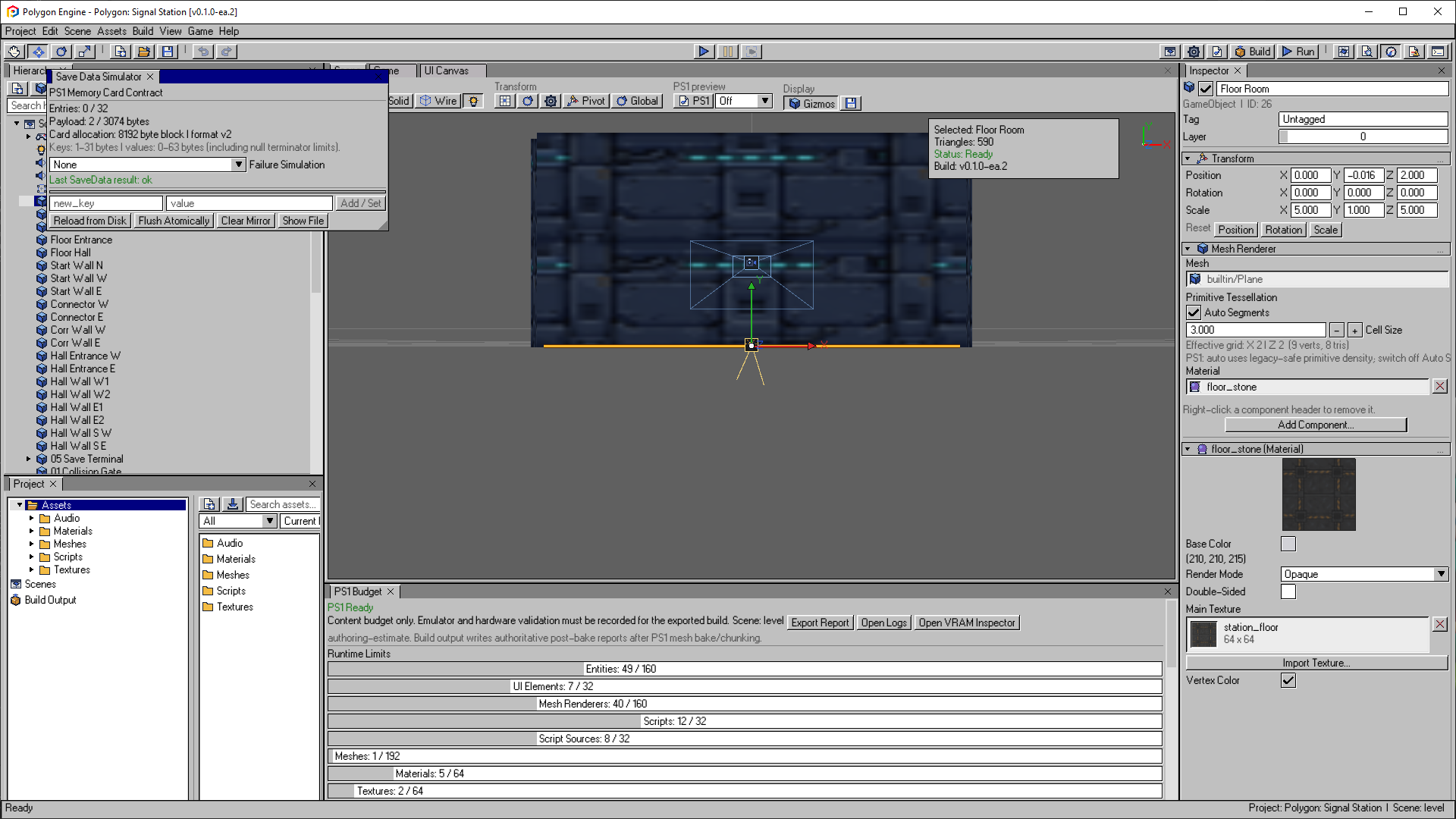
A fresh editor save with zero entries. Add / Set edits a value, Flush Atomically persists the current values, and Failure Simulation lets you exercise your save-error messages.
Open the image to view it at full size.Save capacity
The simulator reports the limits enforced by both editor Play Mode and the PS1 runtime:
| Limit | Value |
|---|---|
| Entries | 32 maximum |
| Key length | 1-31 bytes |
| Value length | 0-63 bytes |
| Allocation | One 8 KB Memory Card block |
The payload indicator includes the fixed serialized entry records, so it is a better capacity signal than adding the visible string lengths alone.
For PlayerPrefs, the key limit is 28 bytes and the string-value limit is
61 bytes. The simulator displays these entries with a pp: prefix and a
type marker. Use the PlayerPrefs API to edit typed values in scripts. Both APIs
share the same 32-entry capacity.
Inspect and Edit the Mirror
Existing entries are listed in key order. You can edit a value, remove an entry, or use Add / Set to create or replace a key.
| Command | Result |
|---|---|
| Reload from Disk | Replaces the in-memory mirror with the last persisted editor save. |
| Flush Atomically | Writes the complete mirror through an atomic replacement operation. |
| Clear Mirror | Clears only the current in-memory mirror until it is flushed. |
| Show File | Reveals Build/EditorPlay/editor_play_savedata.json. |
Editing the simulator changes the same mirror used by Play Mode scripts. Do not edit the JSON file by hand while the editor is open; use the simulator or the public scripting API so validation and atomic writes remain active.
Failure Simulation
Choose a Failure Simulation mode before exercising a save or load flow:
- Memory card absent makes device operations fail as if no card were inserted.
- Memory card full reproduces a write-capacity failure.
- Corrupt save on reload tests validation and recovery after unreadable persisted data.
The window shows the last SaveData result. Scripts should still check the
operation directly and obtain the actionable message with
SaveData.GetLastError():
local saveStatusId = -1

function Start(gameObjectId)
  saveStatusId = UI.Find("Save Status")
end

function SaveProgress()
  if not PlayerPrefs.SetInt("chapter", 3) or not PlayerPrefs.Save() then
    Log.Print("Save failed: " .. SaveData.GetLastError())
    Text.SetText(saveStatusId, "Could not save")
    return false
  end

  Text.SetText(saveStatusId, "Progress saved")
  return true
end
Test Matrix
Before publishing a project, verify at least:
- first run with no existing save;
- normal save, restart, and load;
- overwrite of an existing save;
- reset through
PlayerPrefs.DeleteAll()without erasing unrelated rawSaveDataentries; - absent-card and full-card failures;
- corrupt-save reload and a player-readable recovery path; and
- the same scenarios on DuckStation and real hardware or an ODE.
See PlayerPrefs and SaveData for the full scripting contract.